

A few weeks ago, I started exploring how AI could support backend automation testing using Antigravity. My goal was simple—reduce the effort involved in writing, maintaining, and scaling API tests while improving overall efficiency.
I began by experimenting with backend test execution using REST Assured, with Antigravity assisting me in generating and structuring test logic. Instead of writing everything from scratch, I used AI prompts to accelerate the process. The results were genuinely promising—it helped me move faster and focus more on the logic of testing rather than the repetitive parts of coding.
That initial success gave me the confidence to take things a step further.
Moving Beyond Execution
While backend automation was working well, I realized something important: executing tests is only one part of the problem. Managing, visualizing, and organizing those tests is equally important.
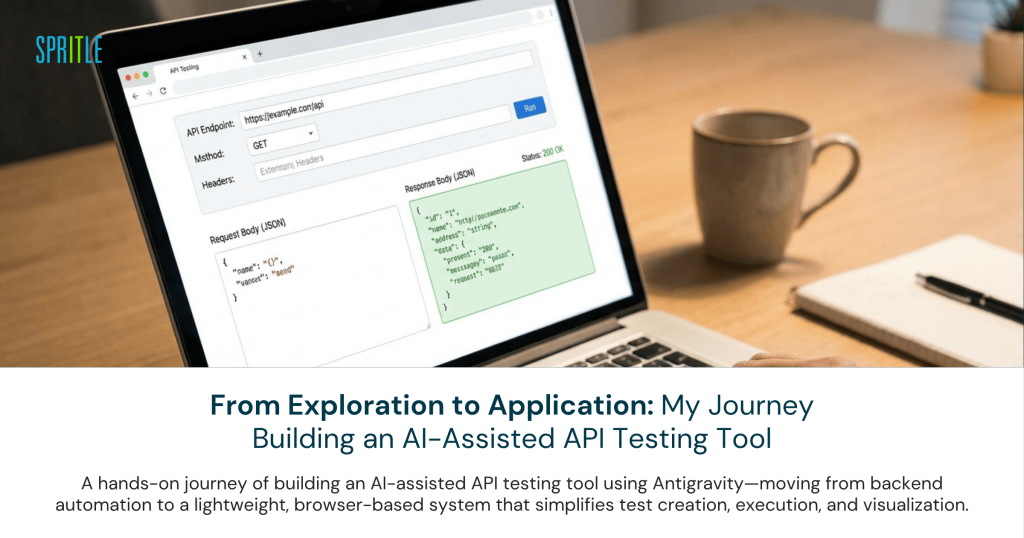
So I decided to build something around it—a frontend application using Antigravity IDE that could support and visualize API automation in a more structured way.
The idea was not to replace backend execution tools like REST Assured but to complement them with a user-friendly interface that simplifies how test cases are created and understood.
How the Application Works
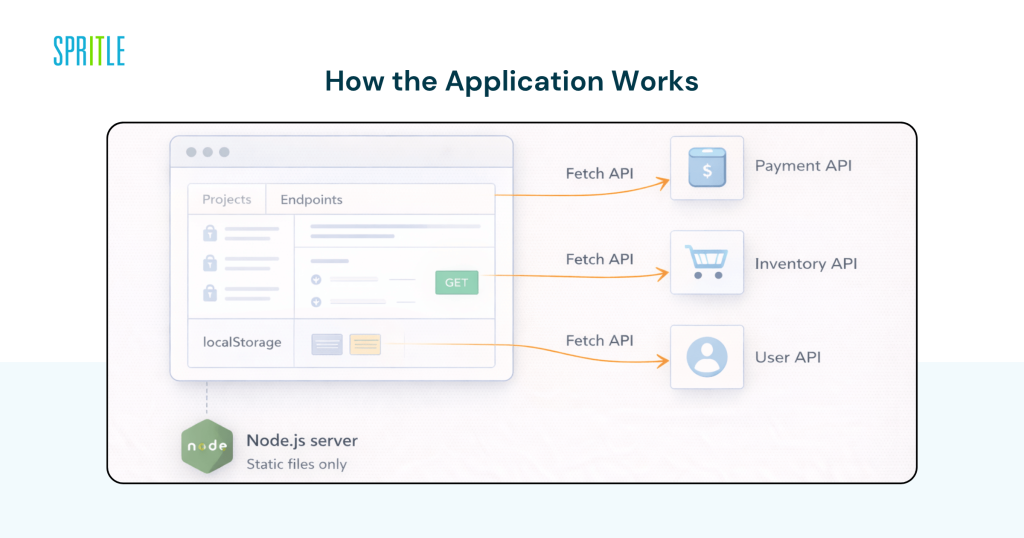
At first glance, the application might look like a typical full-stack system. But under the hood, the architecture is intentionally lightweight and simple.
The entire application currently runs as a client-side solution, with minimal backend involvement:
- A small Node.js server is used only to serve static files like HTML, CSS, and JavaScript
- There is no business logic handled on the server side
- API requests are executed directly from the browser using the native `fetch` API
- All data—such as projects, endpoints, headers, and payloads—is stored in the browser’s `localStorage`
In simple terms, the browser itself acts as both the interface and the execution engine.
This means when a user clicks “Run” or triggers a request, the call is made directly from their machine to the target API—without passing through a traditional backend layer.
Why This Approach Works
At this stage of development, this lightweight architecture turned out to be highly effective.
First, it eliminates the need for complex backend setup. There’s no database configuration, no deployment dependencies, and no infrastructure overhead. This makes the application easy to run and experiment with.
Second, it significantly improves speed. Since everything runs in the browser, changes can be tested instantly without waiting for builds or deployments.
Third, it serves as a powerful prototype. Even without a full backend, the application provides a clear way to design, structure, and visualize API test cases.
Most importantly, it allowed me to focus on what truly matters:
- How test cases are designed
- How users interact with the tool
- How API workflows are structured
Instead of getting stuck in setup and configuration, I could focus on solving the actual problem.
Role of AI in This Journey
Antigravity played a key role throughout this entire process.
It acted like a development partner—helping me move faster and think more clearly.
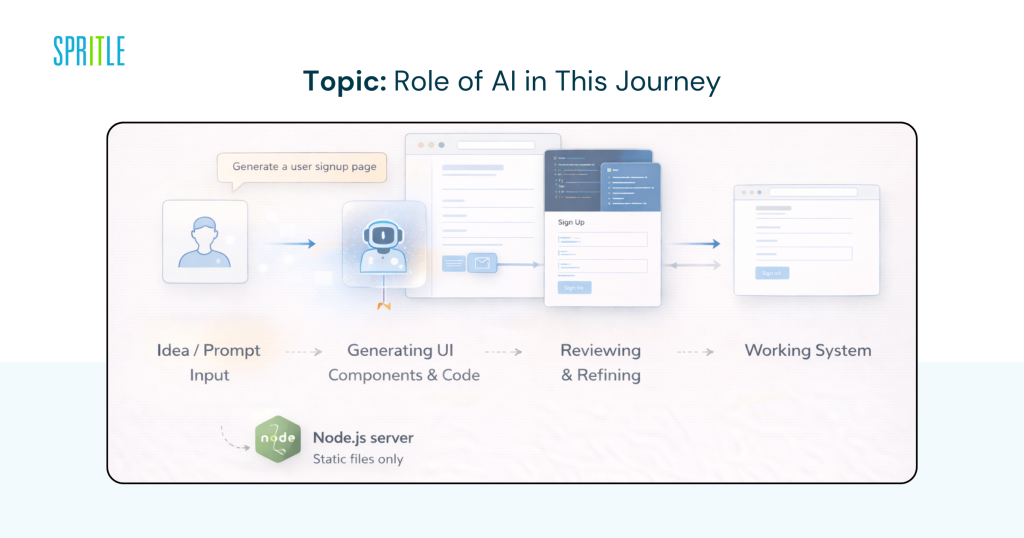
With AI support, I was able to:
- Generate UI components quickly
- Structure application workflows
- Build and refine backend test logic using Rest Assured
- Reduce time spent on repetitive and boilerplate code
However, one important realization was that AI doesn’t replace understanding. It accelerates development, but I still needed to validate, refine, and sometimes correct what it generated.
In many ways, it shifted my role from “writing code” to “designing solutions.”
Challenges Along the Way
Like any learning journey, this wasn’t without challenges.
One of the biggest challenges was understanding and verifying AI-generated code. While it speeds things up, it still requires careful review to ensure correctness.
Another challenge was deciding how much to build. It’s easy to overcomplicate things when working with powerful tools, but I had to consciously keep the application simple and focused.
I also had to shift my mindset—from thinking purely as a tester to thinking like a builder. That transition required me to consider usability, structure, and long-term scalability.
What I Learned
This experience has been a turning point in how I view my role as a QA Engineer.
I realized that we are not limited to testing applications—we can build tools that improve the testing process itself.
I also learned that:
- AI is a productivity booster, not a replacement
- Simple architectures can still deliver meaningful value
- The real skill lies in designing effective solutions, not just writing code
Most importantly, I started thinking beyond individual test cases and focusing on building systems that make testing easier and more efficient.
What’s Next
This is still an evolving project, and there’s a lot more I plan to do.
The next steps include:
- Integrating backend execution with the frontend
- Enabling real-time API test runs Adding validation and reporting features Enhancing the UI for better usability and scalability
- The current version is a strong foundation, and I’m excited to build on top of it.
Final Thoughts
What started as a simple exploration of AI in testing has grown into something much more meaningful. This journey helped me understand how AI, automation, and application design can come together to create smarter testing solutions. As QA Engineers, we are in a unique position—we understand both the product and its quality. With tools like Antigravity, we now have the opportunity to turn that understanding into real, usable solutions. I’ll continue sharing more updates and learnings as this evolves.
More to come soon…


